ScaleIO – Chapter III: Scale out for what? Answer: Capacity, performance, because it’s cool and because of AWS I can.
So at this point I decided I wanted to deploy 100+ SDS nodes in AWS, just because I can.
Note: I attempted to be as detailed as possible with this post but of course there are some details that I intentionally excluded because I deemed them too detailed and there may be some things I just missed.
The first thing I did was create an AMI image using one of the fully configured SDS nodes, figured this would be the easiest way to deploy 100+ nodes. Being new to AWS I didn’t realize the node I was imaging was going to take the node offline (actually reboot the node, I noticed later that there is a check box that allows you you chose if you want to reboot the instance or not). There is always a silver lining especially when the environment is disposable and easily reconstructed.
When i saw my PuTTY session disconnect I flipped over to the window and sure enough there it was:
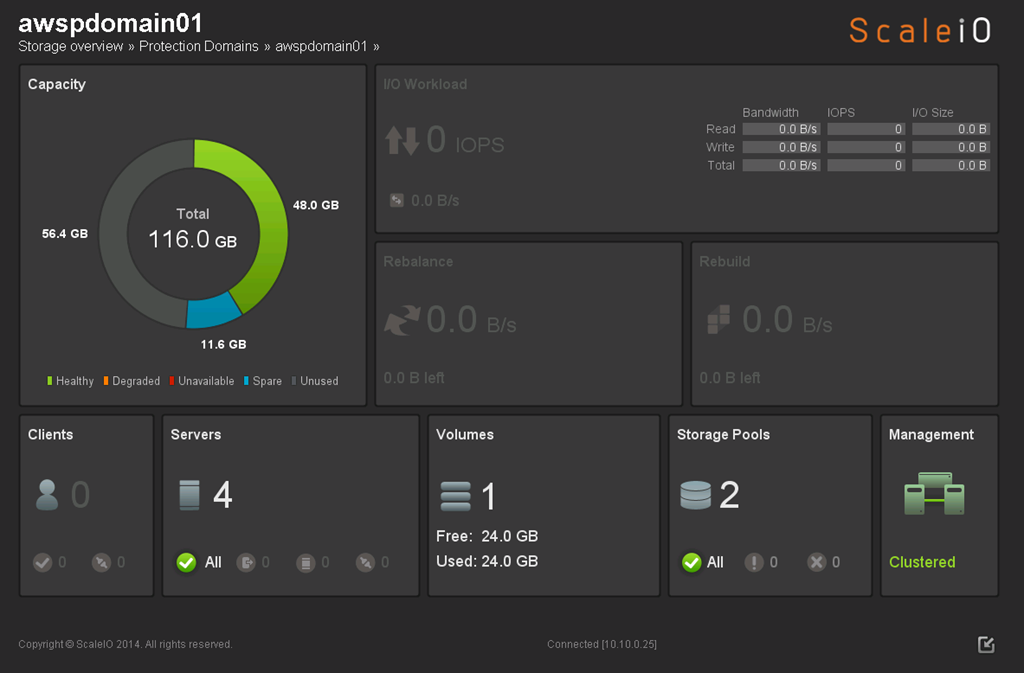
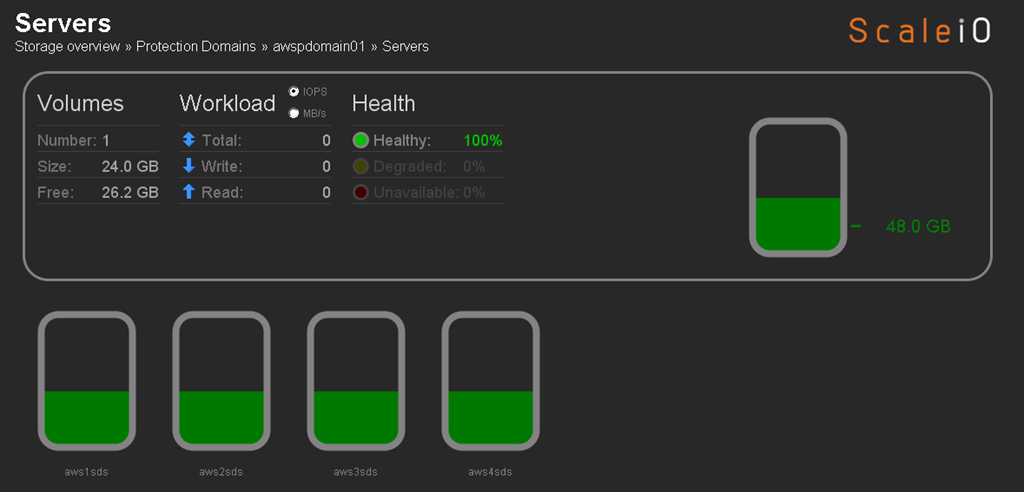
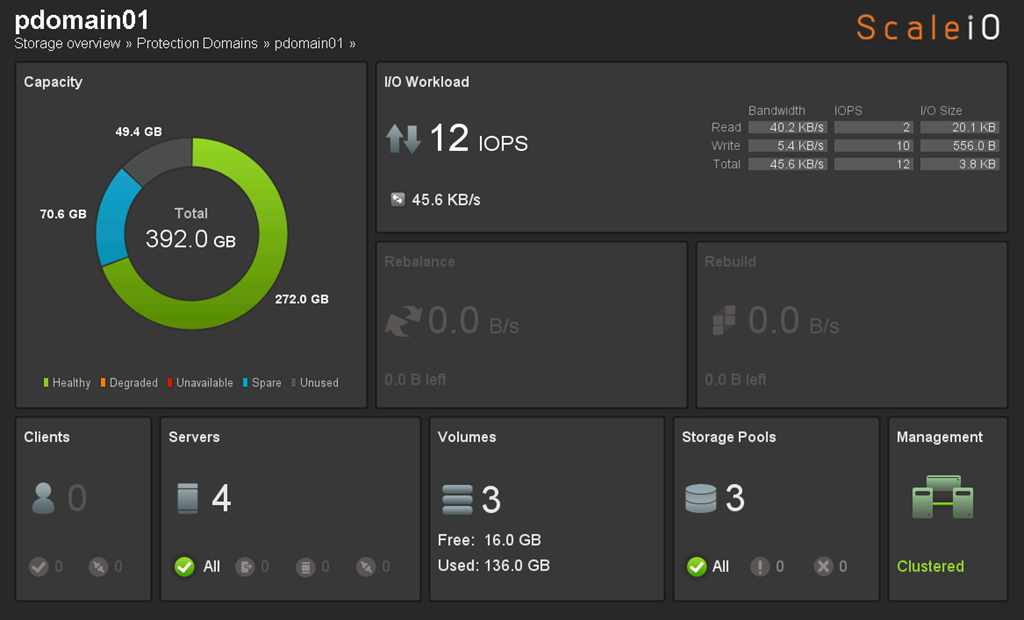
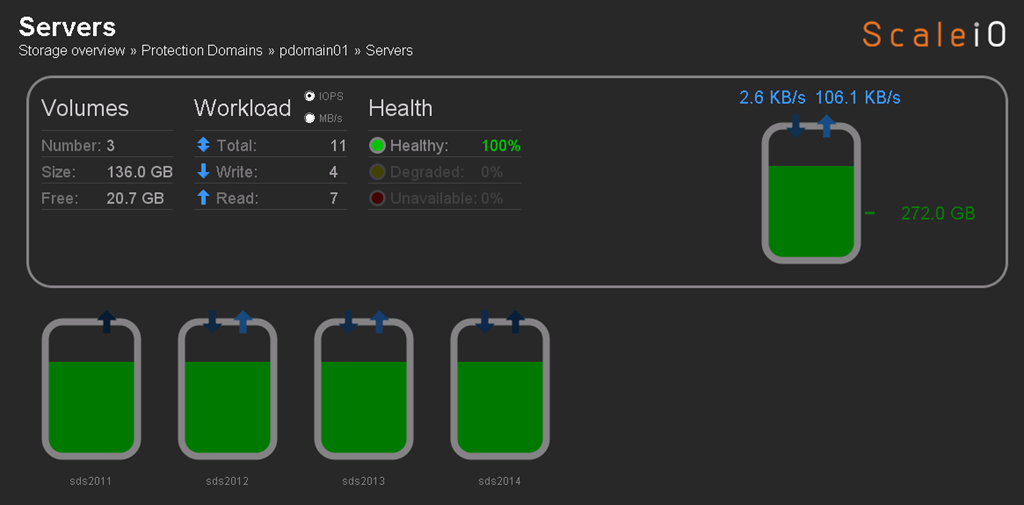
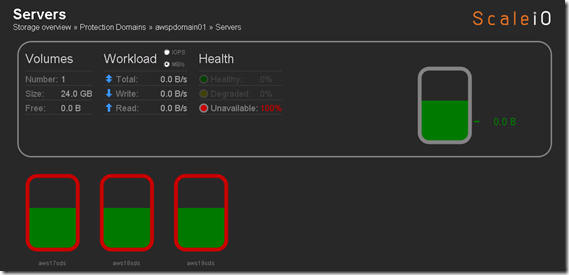
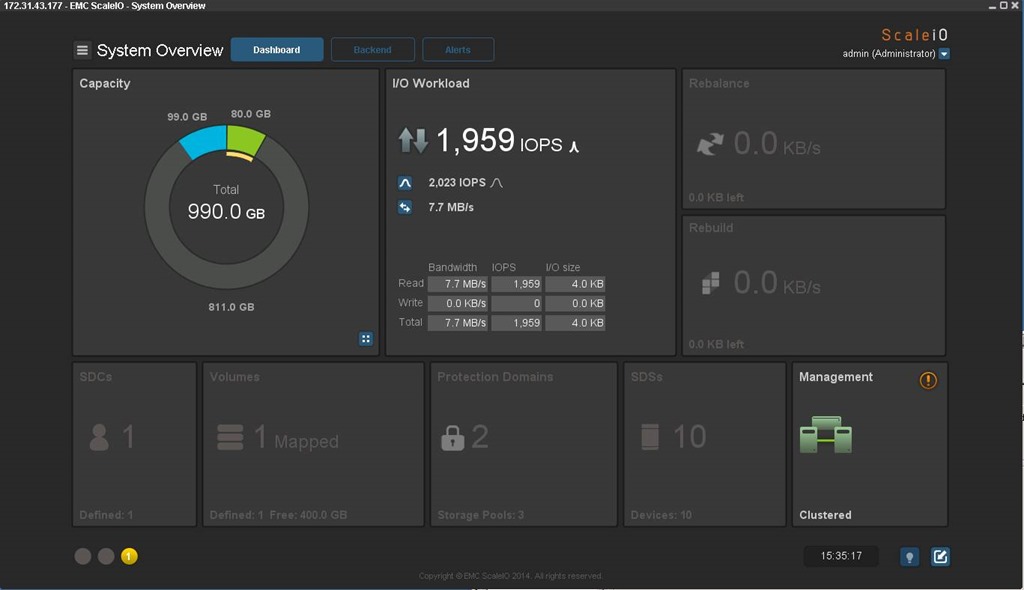
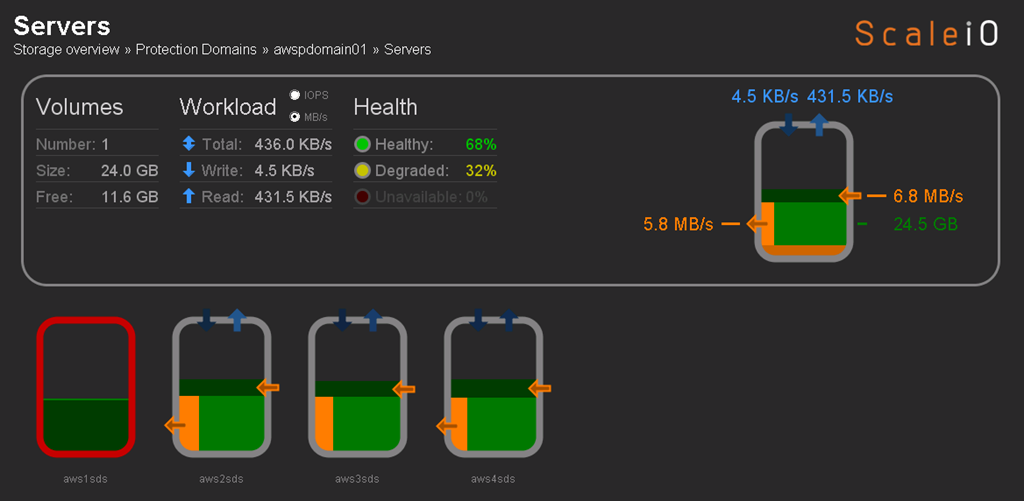
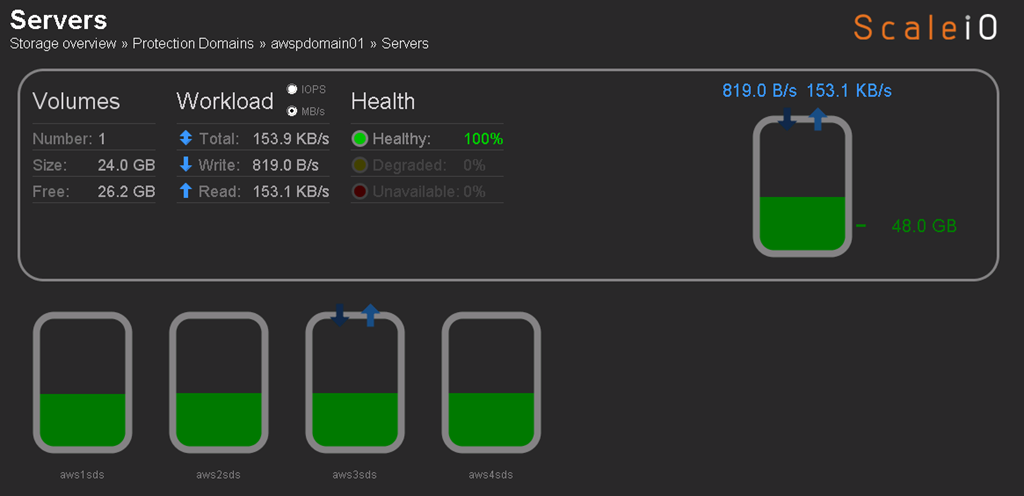
Flipped to the ScaleIO console, pretty cool (yes I am easily amused):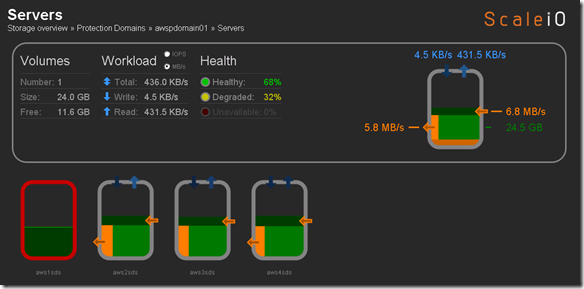
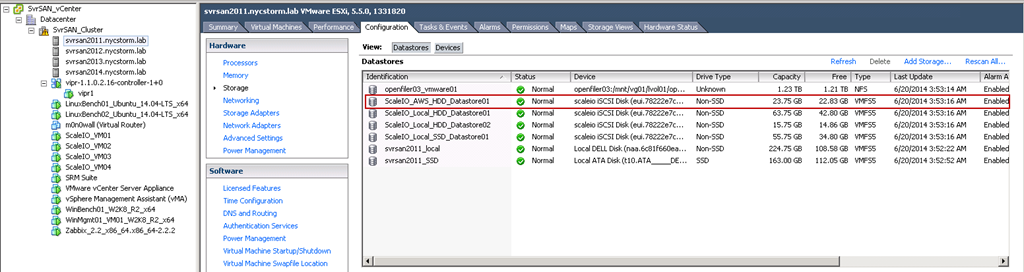
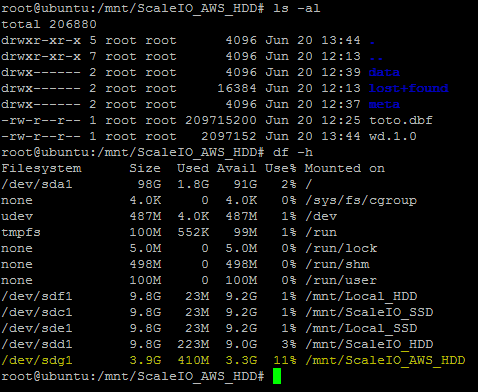
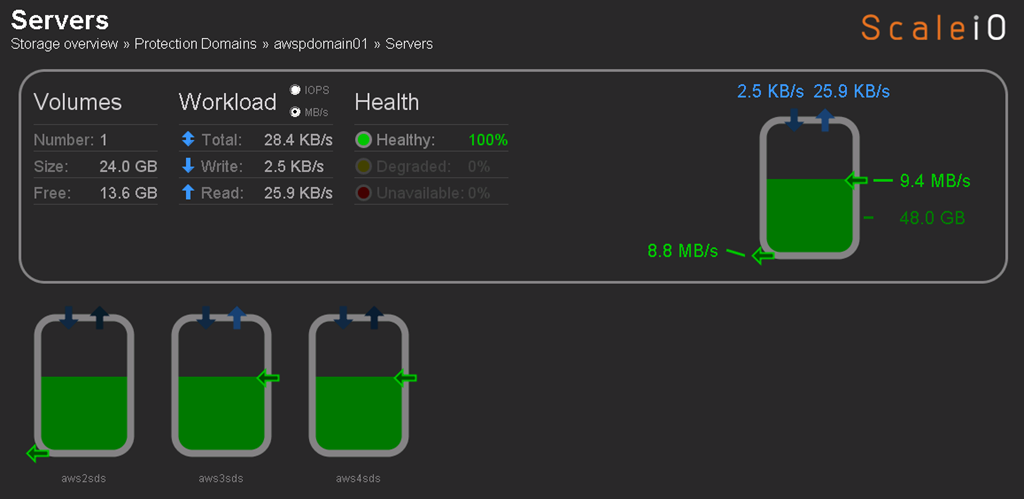
aws1sds node down and system running in degraded mode. Flipped to the Linux host I have been using for testing just to see if the volume was accessible and data was intact (appears to be so although it’s not like I did some exhaustive testing here):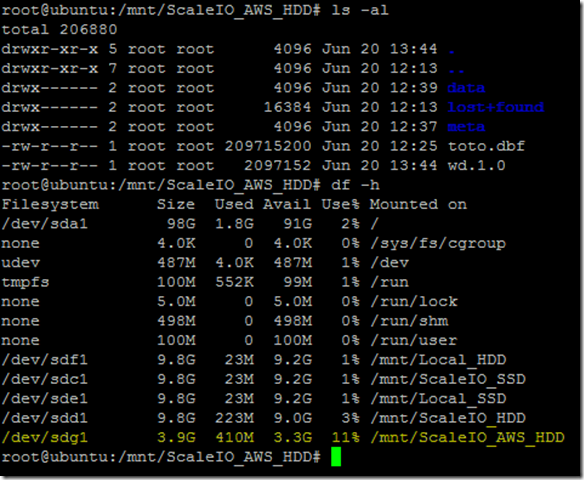
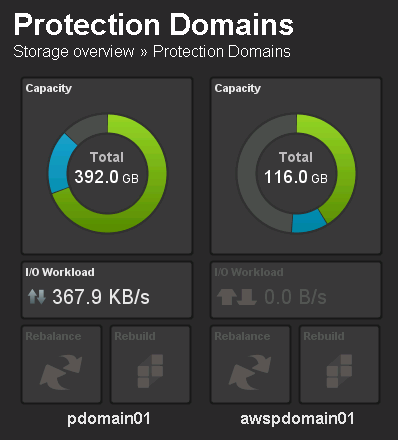
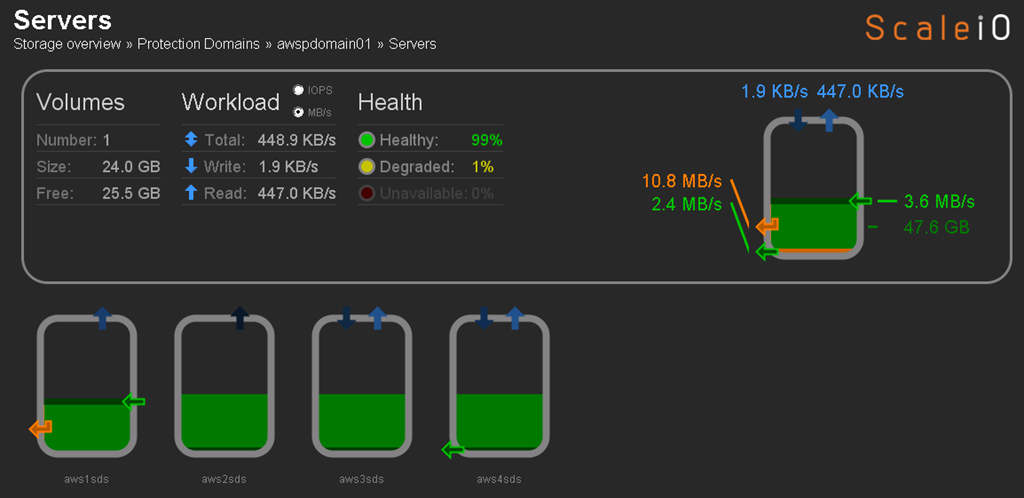
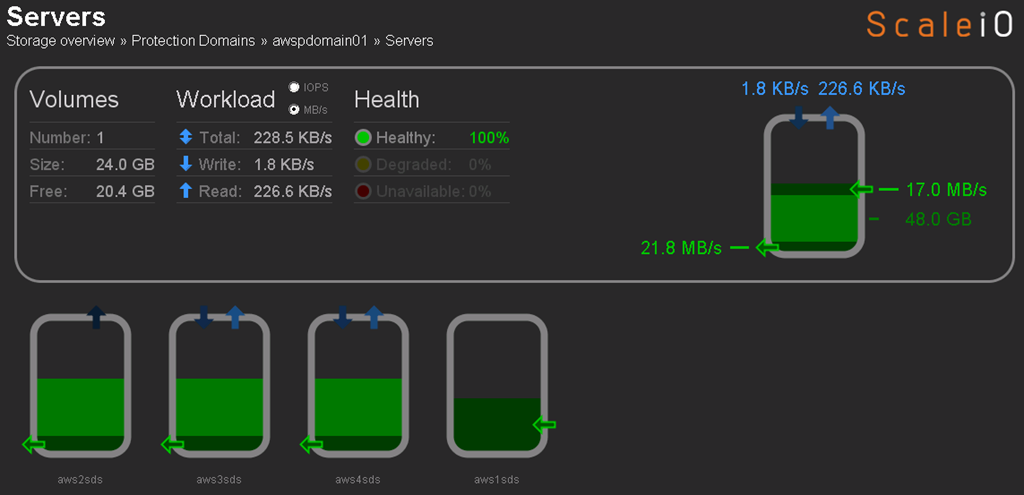
Flipped back tot he ScaleIO console just to see the state and aws1sds was back online and protection domain awspdomain01 was re-balancing: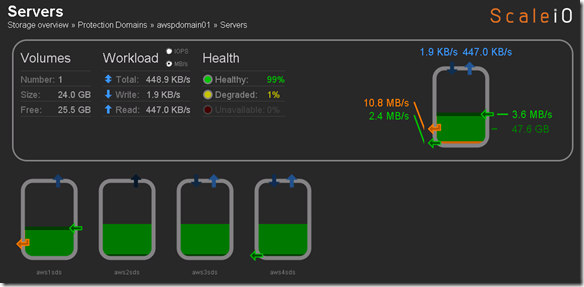
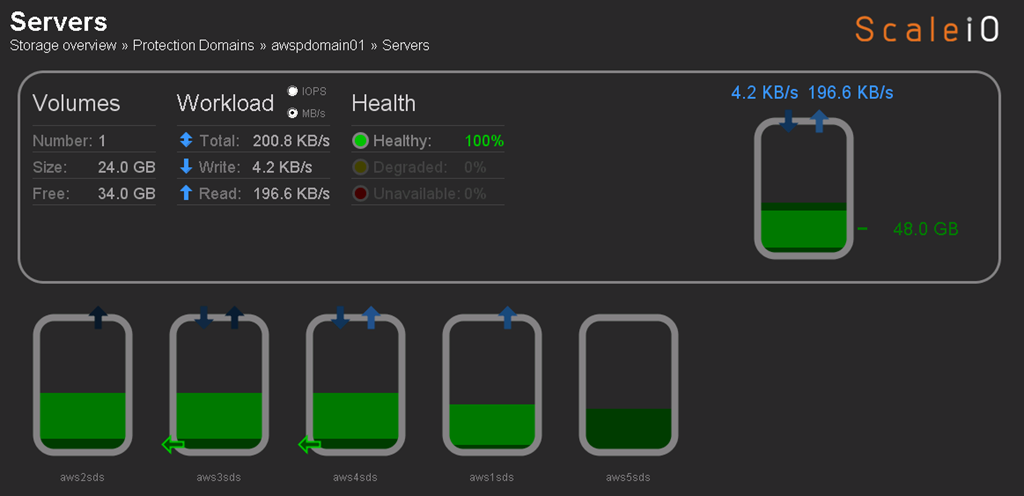
Protection Domain awspdomain01 done rebalancing and system returned to 100% healthy state: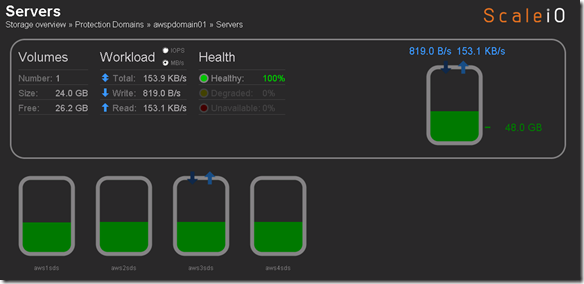
So now that my AMI image is created I am going to deploy a new instance and see how it looks, make sure everything is as it should be before deploying 100+ nodes.

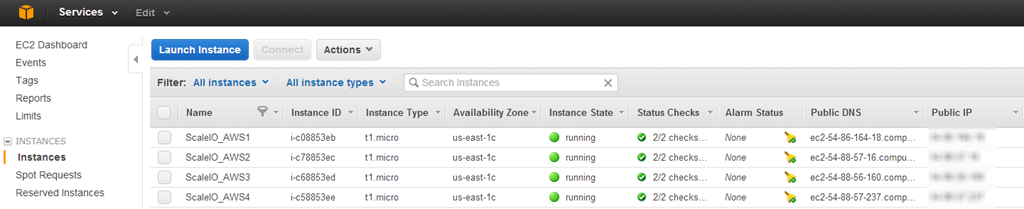
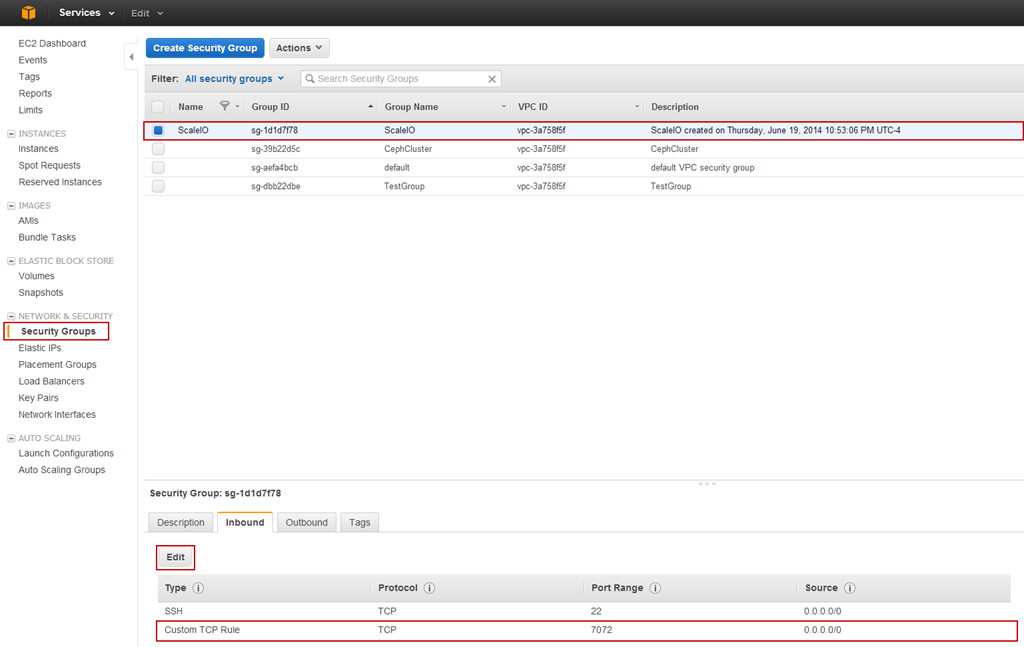
Selected instance, everything looked good just had to add to the appropriate Security Group.
Named this instance ScaleIO_AWS5 and I am going to add to existing awspdomain01 as a test. When I do the 100 node deployment i am going to create a new Protection Domain, just to keep things orderly.

So far so good.
Add SDS (ScaleIO_AWS5) to Protection Domain and Pool:
scli –mdm_ip 10.10.0.25 –add_sds –sds_ip 54.88.14.30 –protection_domain_name awspdomain01 –device_name /dev/xvdf –storage_pool_name pool03 –sds_name aws5sds
I fat fingered the above command like this:
scaleiovm02:/opt/scaleio/siinstall # scli –mdm_ip 10.10.0.25 –add_sds –sds_ip 54.88.14.30 –protection_domain_name awspdomain01 –device_name /dev/xvdf –storage_pool_name pool03 –sds_name aws1sds
Error: MDM failed command. Status: SDS Name in use
But when I corrected the command I got:
scaleiovm02:/opt/scaleio/siinstall # scli –mdm_ip 10.10.0.25 –add_sds –sds_ip 54.88.14.30 –protection_domain_name awspdomain01 –device_name /dev/xvdf –storage_pool_name pool03 –sds_name aws5sds
Error: MDM failed command. Status: SDS already attached to this MDM
Attempted to to remove aws1sds and and retry in case I hosed something up. Issued command:
scaleiovm02:/opt/scaleio/siinstall # scli –mdm_ip 10.10.0.25 –remove_sds –sds_name aws1sds
SDS aws1sds is being removed asynchronously
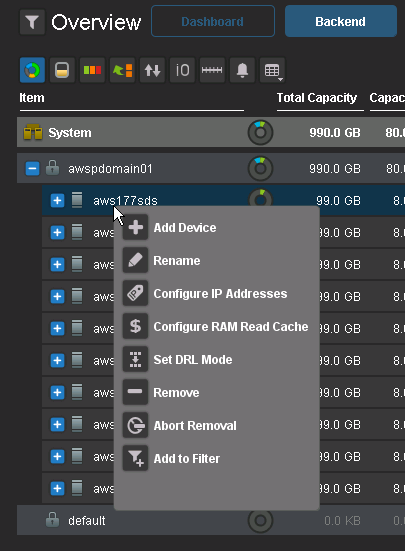
Data is being evacuated from aws1sds: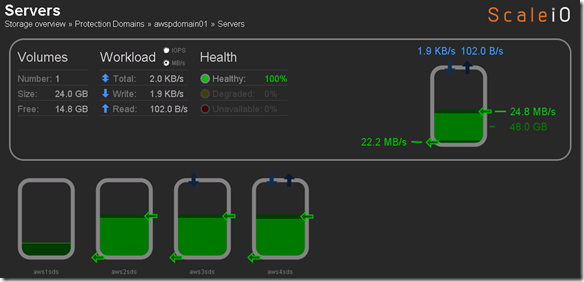
aws1sds removed: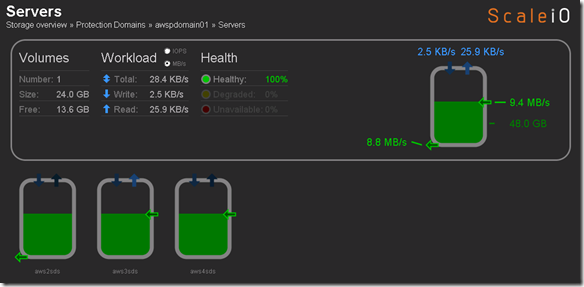
Still the same issue:
scaleiovm02:/opt/scaleio/siinstall # scli –mdm_ip 10.10.0.25 –add_sds –sds_ip 54.88.14.30 –protection_domain_name awspdomain01 –device_name /dev/xvdf –storage_pool_name pool03 –sds_name aws5sds
Error: MDM failed command. Status: SDS already attached to this MDM
I think this is because the aws1sds was already added to the Protection Domain when I created the AMI image. Now that I removed it from the Protection Domain I am going to terminate the aws5sds instance and create a new AMI image from the aws1sds.
Added aws1sds back to awspdomain01:
scaleiovm02:/opt/scaleio/siinstall # scli –mdm_ip 10.10.0.25 –add_sds –sds_ip 54.86.164.18 –protection_domain_name awspdomain01 –device_name /dev/xvdf –storage_pool_name pool03 –sds_name aws1sds
Successfully created SDS aws1sds. Object ID d99a7c5e0000000d
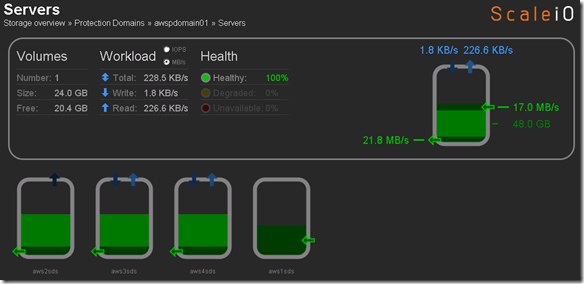
Reprovisioning aws5sds from the new AMI image I created
Add SDS (ScaleIO_AWS5) to Protection Domain and Pool:
scaleiovm02:/opt/scaleio/siinstall # scli –mdm_ip 10.10.0.25 –add_sds –sds_ip 54.88.103.188 –protection_domain_name awspdomain01 –device_name /dev/xvdf –storage_pool_name pool03 –sds_name aws5sds
Successfully created SDS aws5sds. Object ID d99a7c5f0000000e
Success: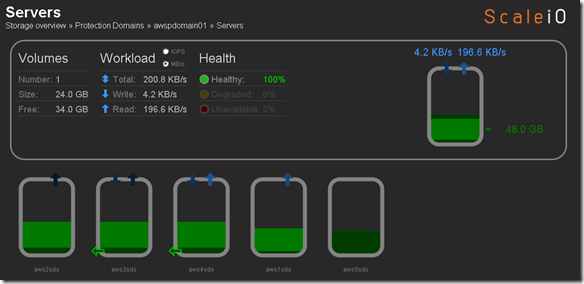
A little cleanup prior to mass deployment
Wanted to change a few things and create a new AMI image to use for deployment so removed aws1sds and aws5sds from awspdomain01:
- scli –mdm_ip 10.10.0.25 –remove_sds –sds_name aws5sds
- scli –mdm_ip 10.10.0.25 –remove_sds –sds_name aws1sds
Add aws1sds back to awspdomain01
scaleiovm02:/opt/scaleio/siinstall # scli –mdm_ip 10.10.0.25 –add_sds –sds_ip 54.86.164.18 –protection_domain_name awspdomain01 –device_name /dev/xvdf –storage_pool_name pool03 –sds_name aws1sds
Successfully created SDS aws1sds. Object ID d99a7c600000000f
Deploy 100 SDS nodes in AWS using the AMI image that I created from aws1sds
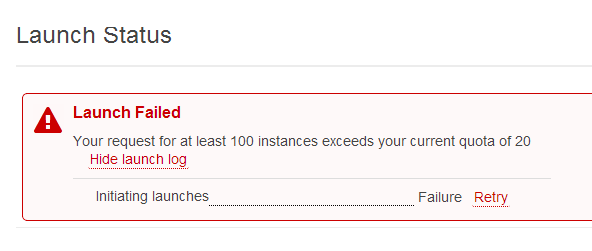
Apparently I have an instance limit of 20 instances.
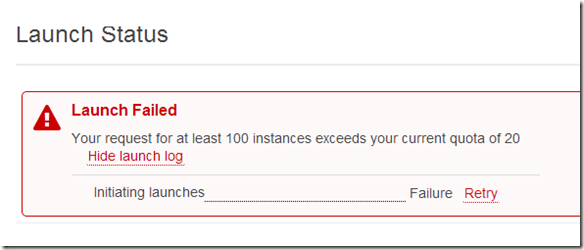
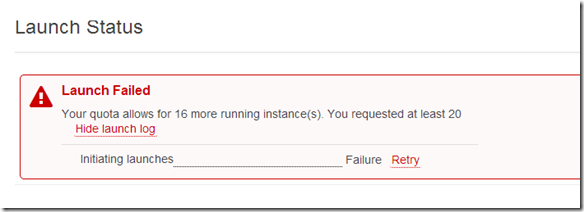
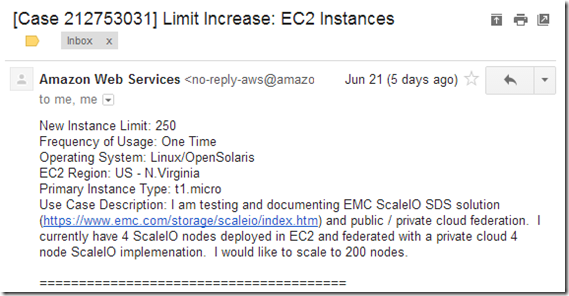
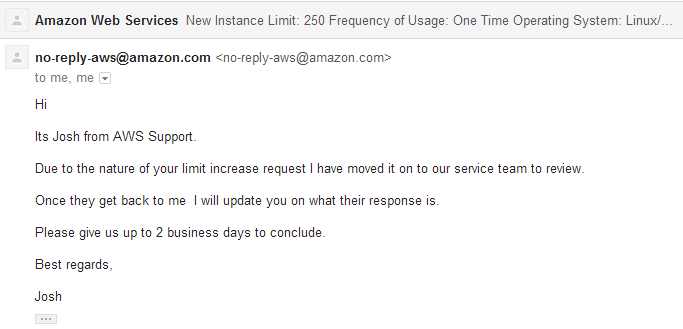
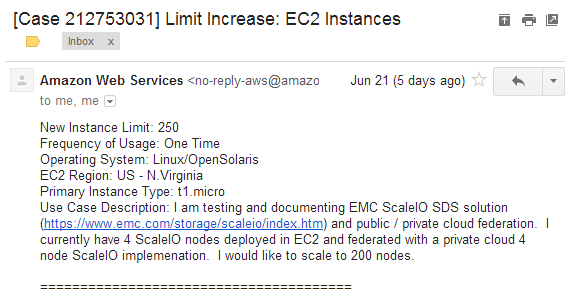
Opened a ticket with AWS to have my instance limit raised to 250 instances.
Heard back from AWS and here is what they had to say: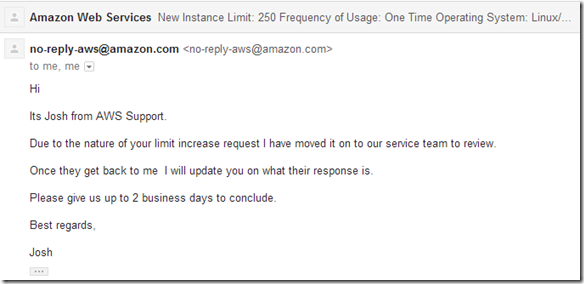
Hopefully next week they will increase my limit to 250 and I can play some more.
So my original plan assuming i didn’t hit the 20 instance limit was to create a new Protection Domain and a new Pool and add my 100+ SDS nodes to the new Protection Domain and Pool like below:
- New AWS Protection Domain: scli –mdm_ip 10.10.0.25 –add_protection_domain –protection_domain_name awspdomain02
- New Storage Pool to AWS Protection Domain: scli –mdm_ip 10.10.0.25 –add_storage_pool –protection_domain_name awspdomain02 –storage_pool_name pool04
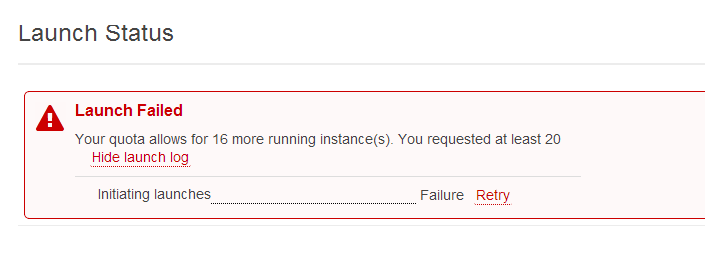
Because I can only add an additional 16 instances (at the current time and I am impatient) I am just going to add the 16 new instances to my existing awspdomain01 and pool03.
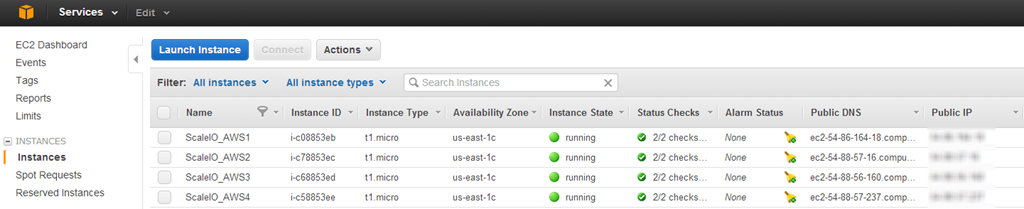
Step 1: Deploy the additional 16 instances using my ScaleIO_SDS AMI image
Note: I retagged my existing for nodes “ScaleIO_SDS_awspdomain01_pool03” I will use this tag on the 16 new nodes I am deploying, will make it easy to filter in the AWS console. Will be important when I grab the details to add the SDS nodes to the awspdomain01 and pool03.

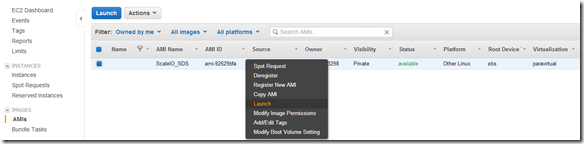
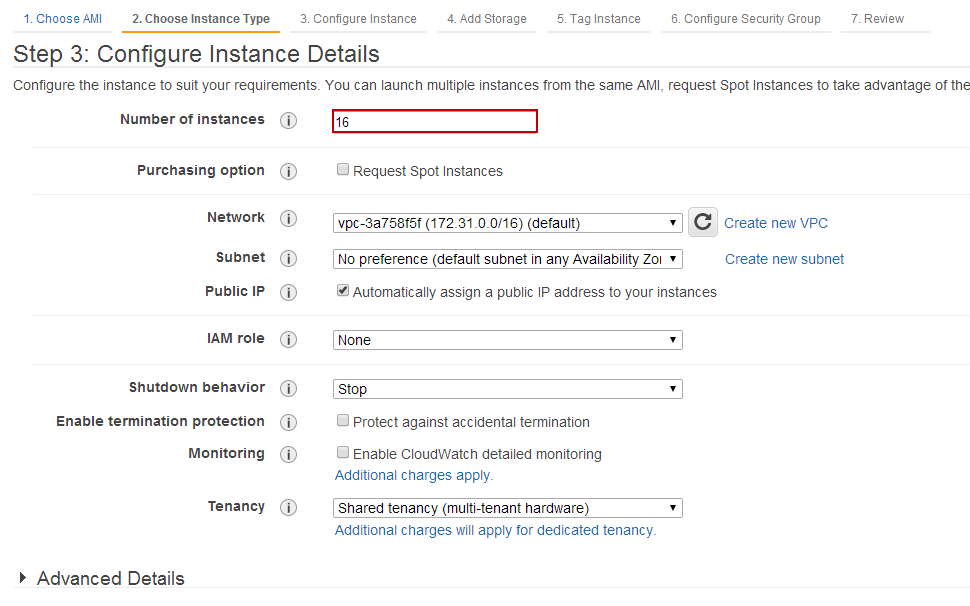
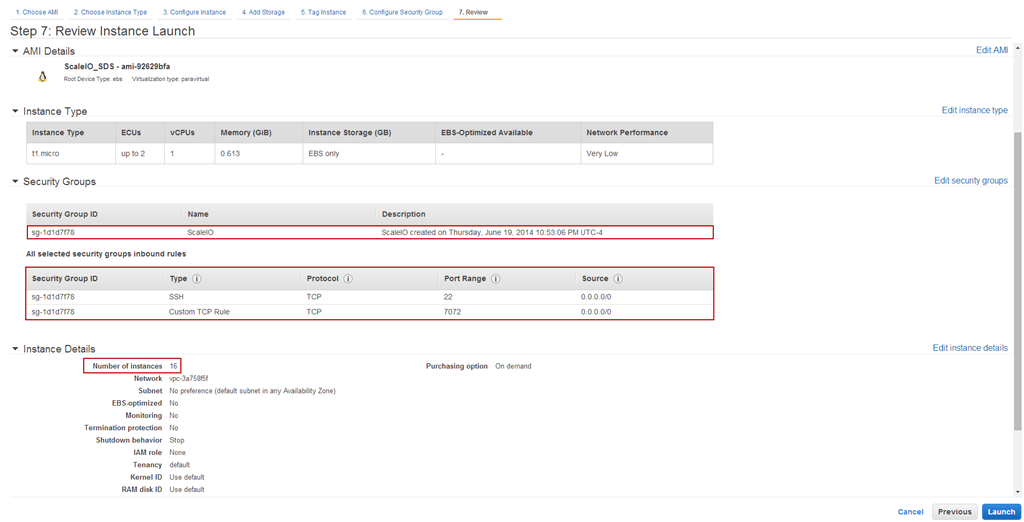
Change the number of instances to be deployed (16 in this case):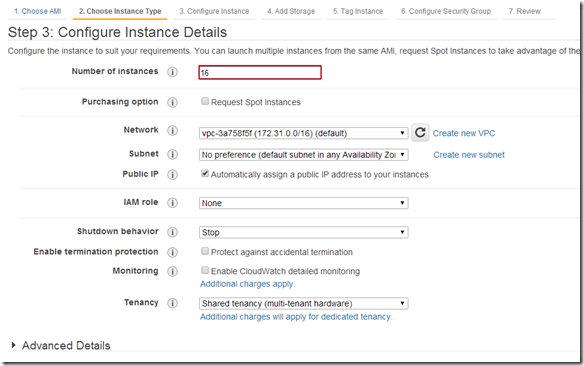
Tag Instances:
Configure Security Group: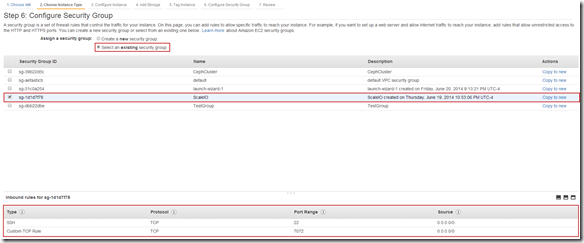
Review Instance Details and Launch: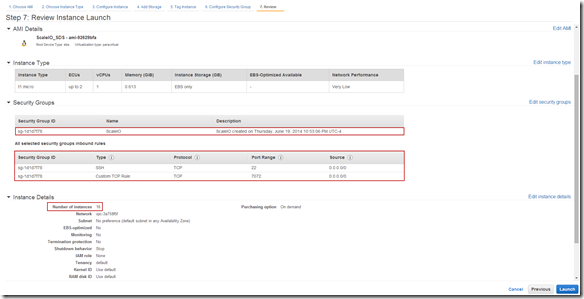
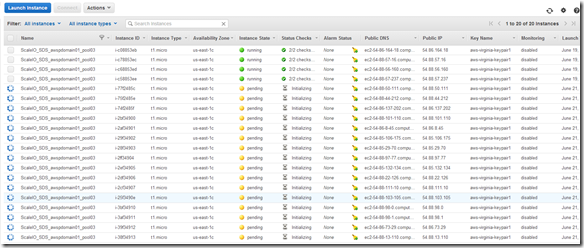
Step 2: Prep to add newly deployed SDS nodes to awspdomian01 and pool03
I used a pretty simple approach for this:
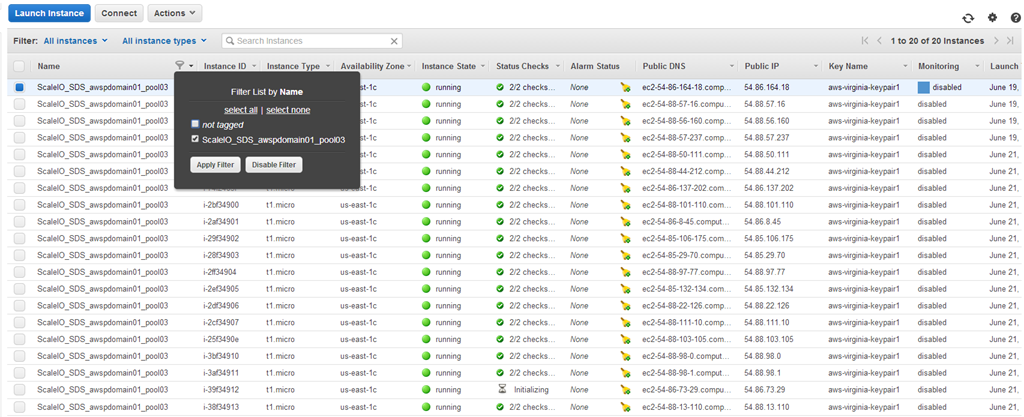
Highlight the nodes in the AWS console and cut-and-paste to Excel (Note: I filter my list by the tag we applied in the previous step):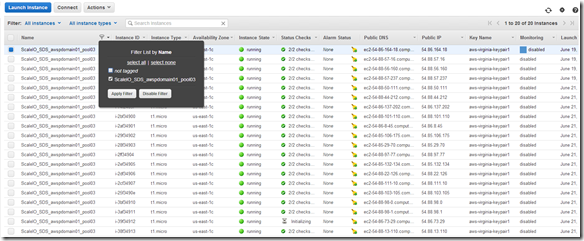
Tip: I like to highlight from the bottom right of the list to the top left (little easier to control). Cut-and-Past to Excel (or any spreadsheet).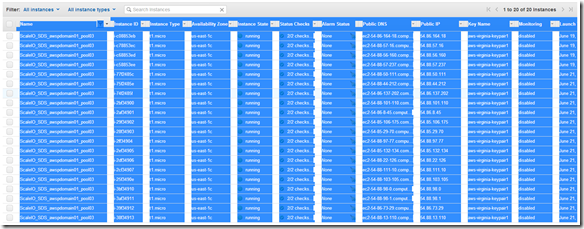
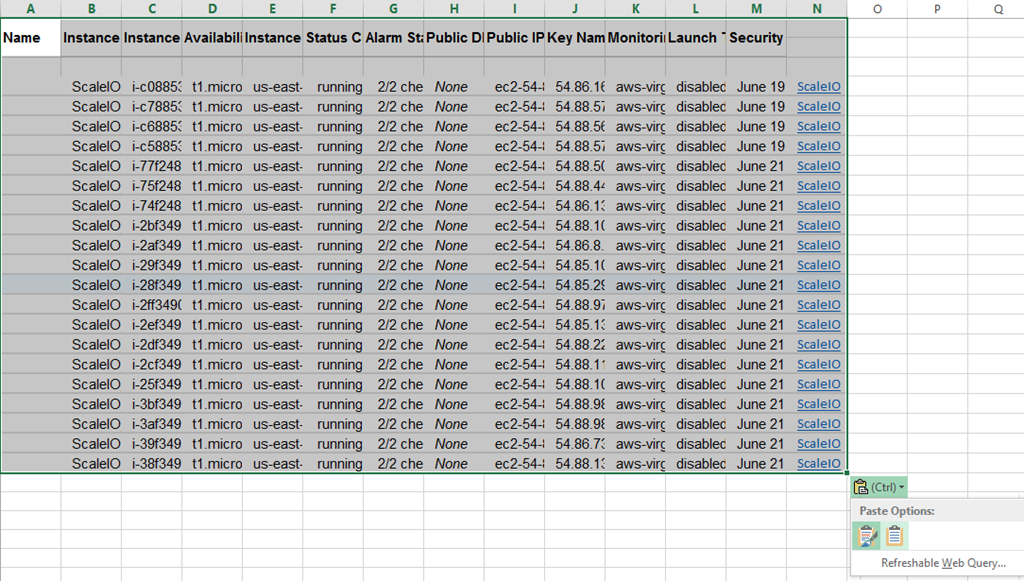
Past (ctrl-v) to Excel without formatting and then do a little cleanup: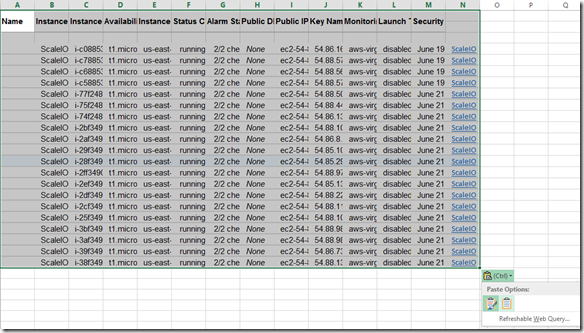
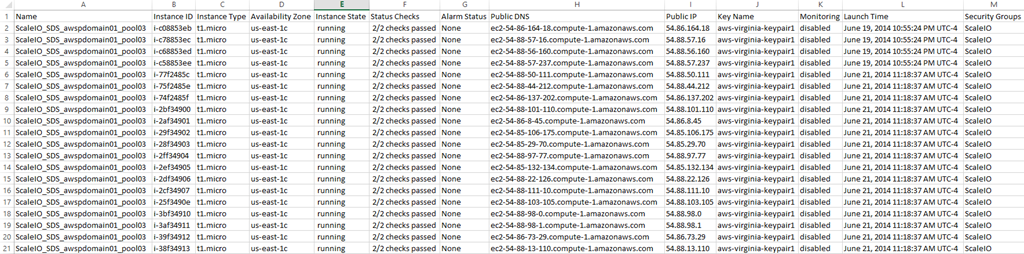
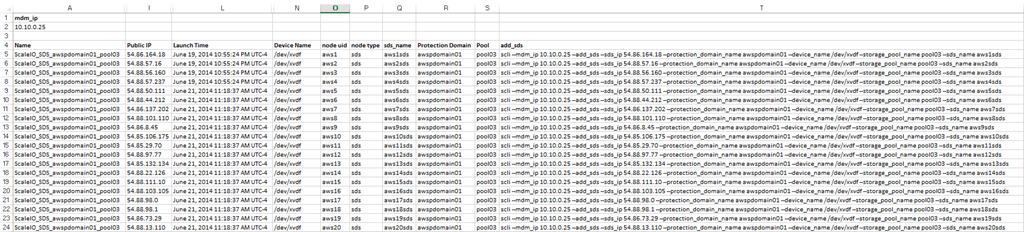
You should end up with a sheet that looks like this: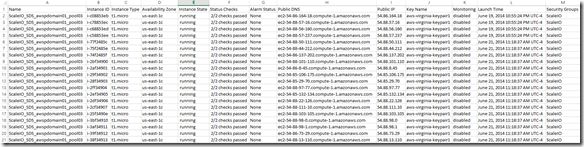
Step 2: Create the commands in Excel to add the new SDS AWS instances to ScaleIO awspdomain01 and pool03
Note: I am going to hide columns we don’t need to make the sheet easier to work with.
The only columns we really need are column I (Public IP) and Column L (Launch Time) but I am going to keep column A (Name/Tag ) as well because in a larger deployment scenario you may want to filter on the Name Tag.
I am also going add some new columns:
Column N (Device Name): This is the device inside the SDS instance that will be used by ScaleIO
Column O,P & Q (node uid, node type and sds_name): Probably don’t need all of these but I like the ability to filter by node type, sds_name is a concat of nod uid and node type.
Column R (Protection Domain): This is the Protection Domain that we plan to place the SDS node in
Column S (Pool): This is the Pool we want the SDS storage to be placed in
You will also notice that “mdm_ip” is in A1 and the mdm ip address is in A2 (A2 is also labeled mdm_ip)
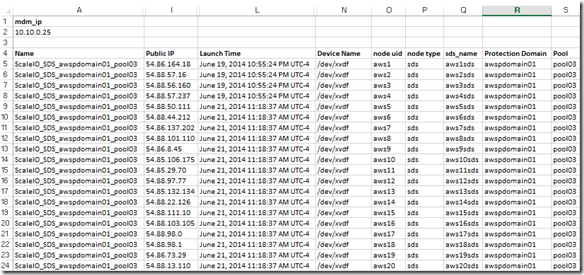
Next I am going to create the commands to add the SDS nodes to our existing awspdomain01 Protection Domain and pool03.
I placed the following formula in Column T:
=”scli –mdm_ip “&mdm_ip&” –add_sds –sds_ip “&I5&” –protection_domain_name “&R5&” –device_name “&N5&” –storage_pool_name “&S5&” –sds_name “&Q5

Now the sheet looks like this: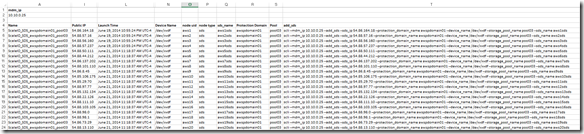
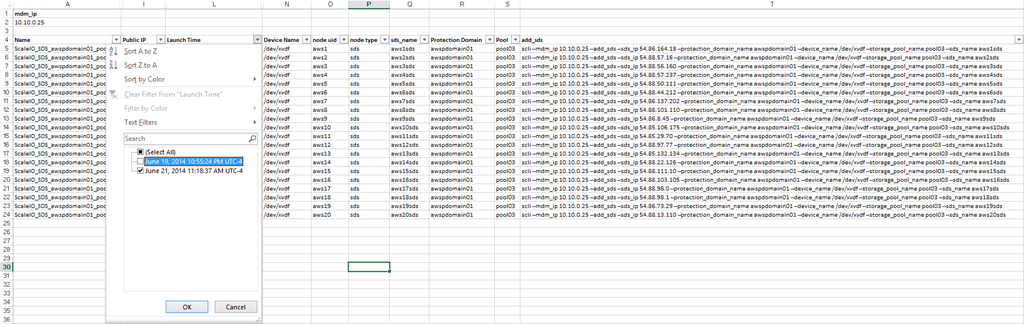
Next I want to filter out the SDS nodes that are already added (aws1sds through aws4sds)
Knowing that I created and added the existing nodes prior to today I just filtered by Launch Time: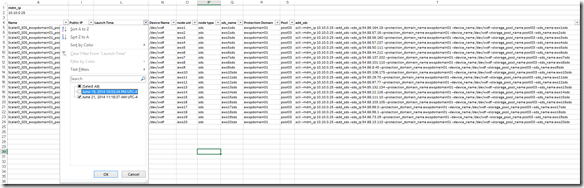
This leaves me with the list of SDS nodes that will be added to awspdomain01 and pool03:
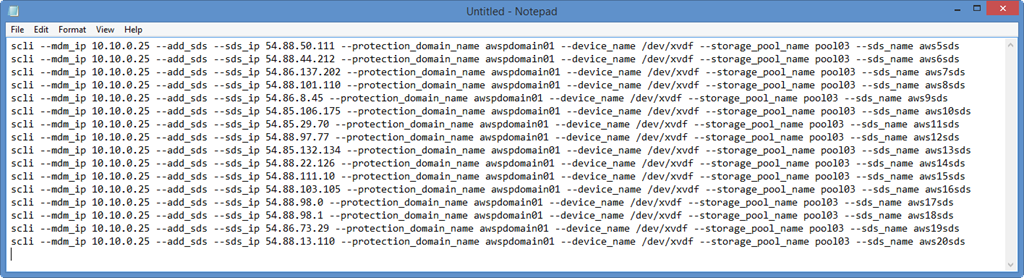
Step 3: Copy-and-Past the command in Column T (sds_add) to your text editor of choice: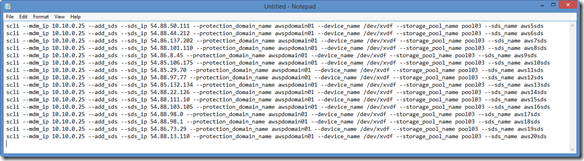
Note: I always do this just to make sure that the commands look correct and that cut-and-paste into my ssh session will be plain text.
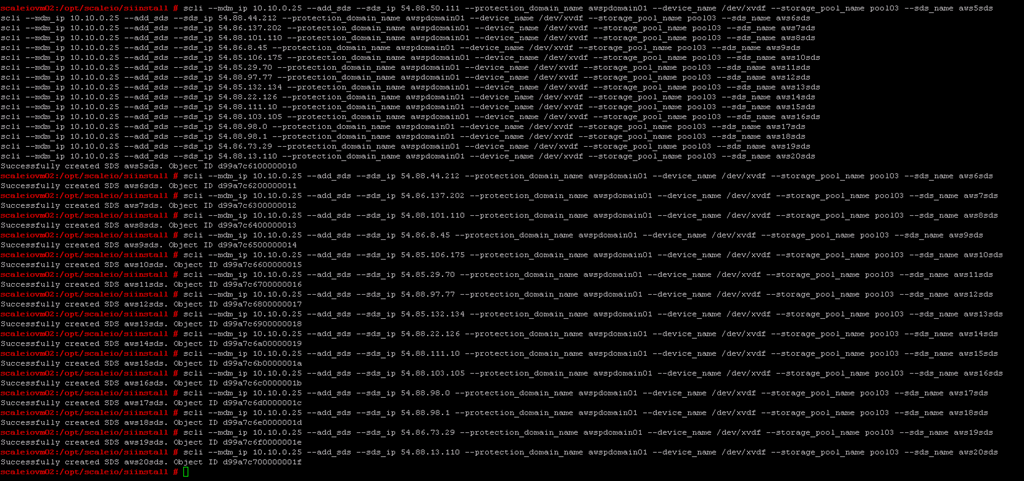
Step 4: Cut-and-Paste the commands into an ssh session on the appropriate ScaleIO node (a node with scli on it, the MDM works)
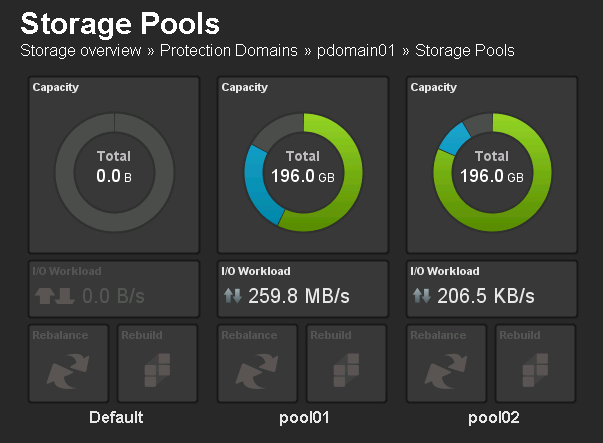
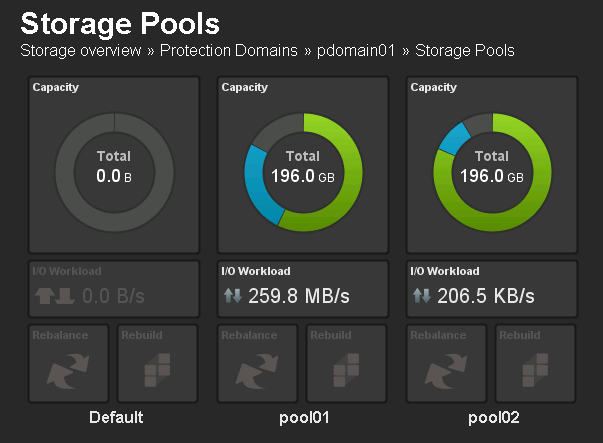
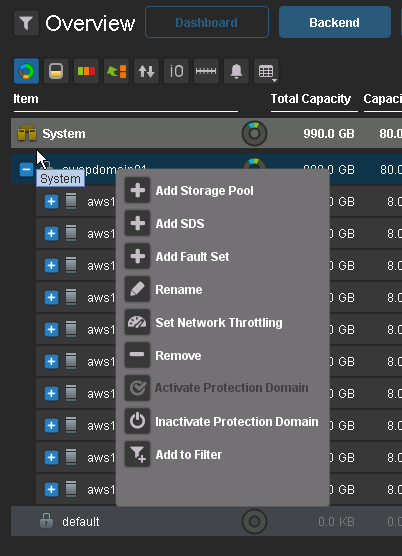
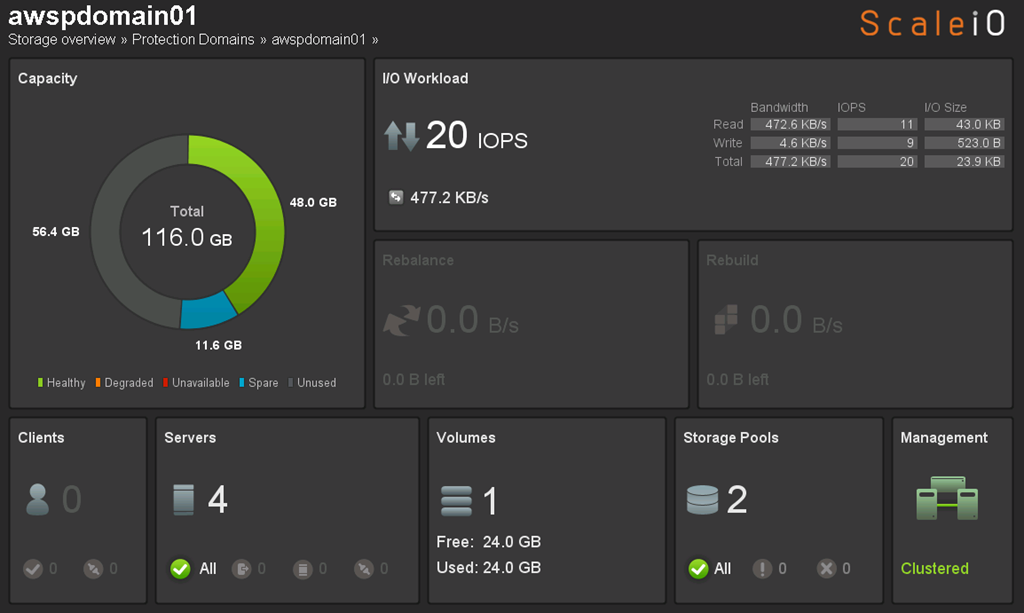
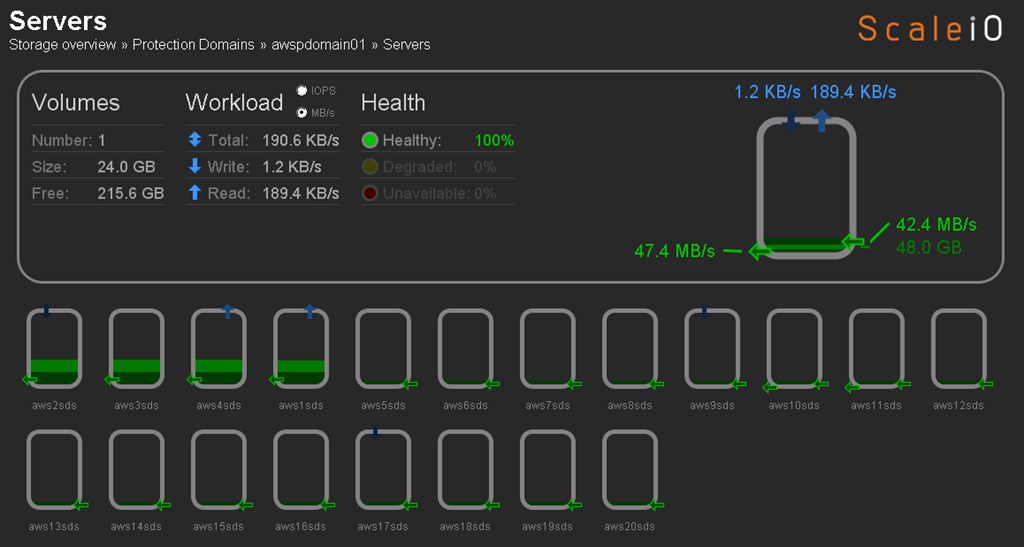
Before we perform Step 4 let’s take a look at what awspdomain01 and pool03 looks like: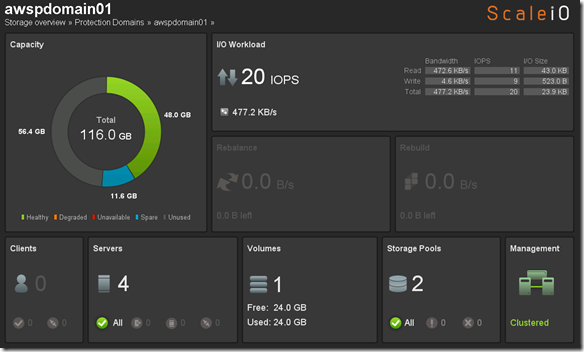
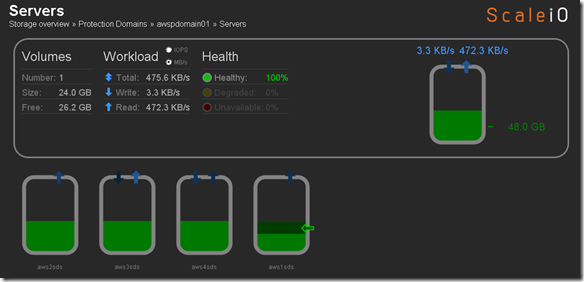
OK, now let’s execute our commands to add the new nodes: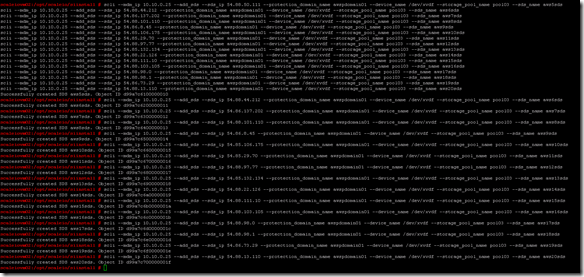
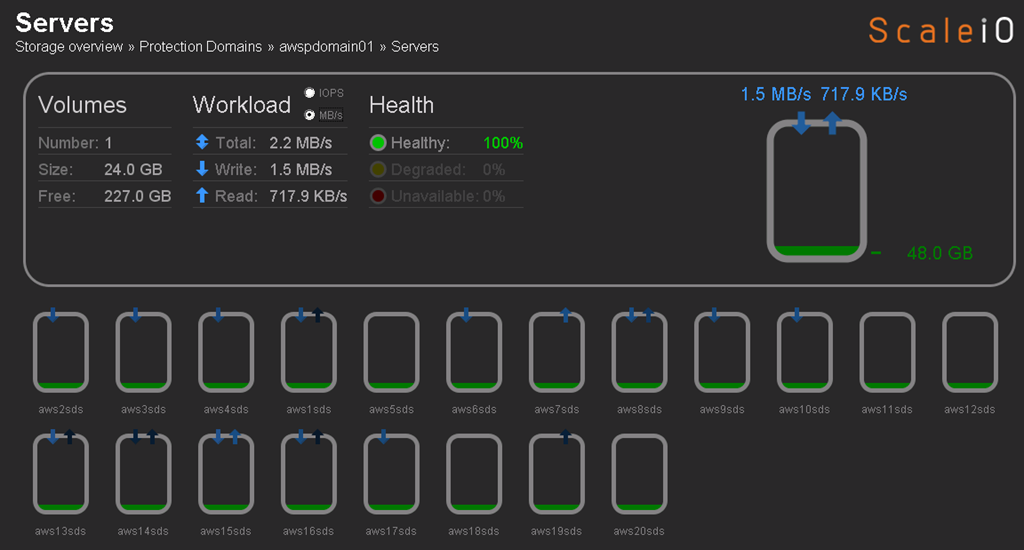
SDS nodes all successfully added and data is being redistributed: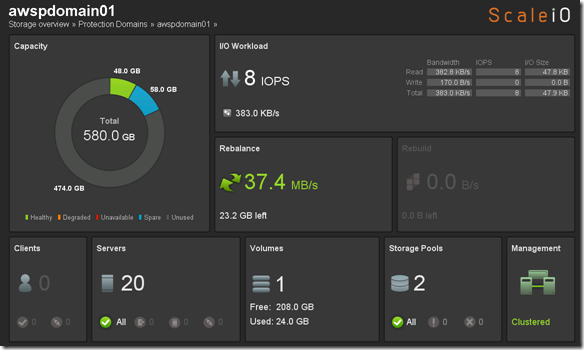
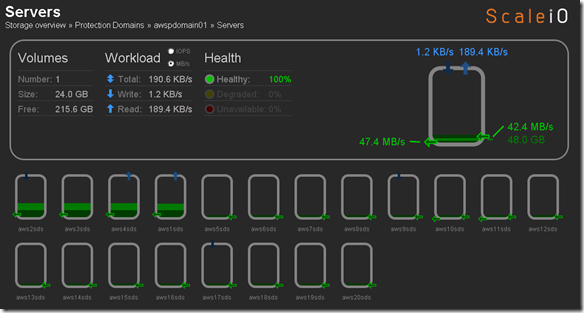
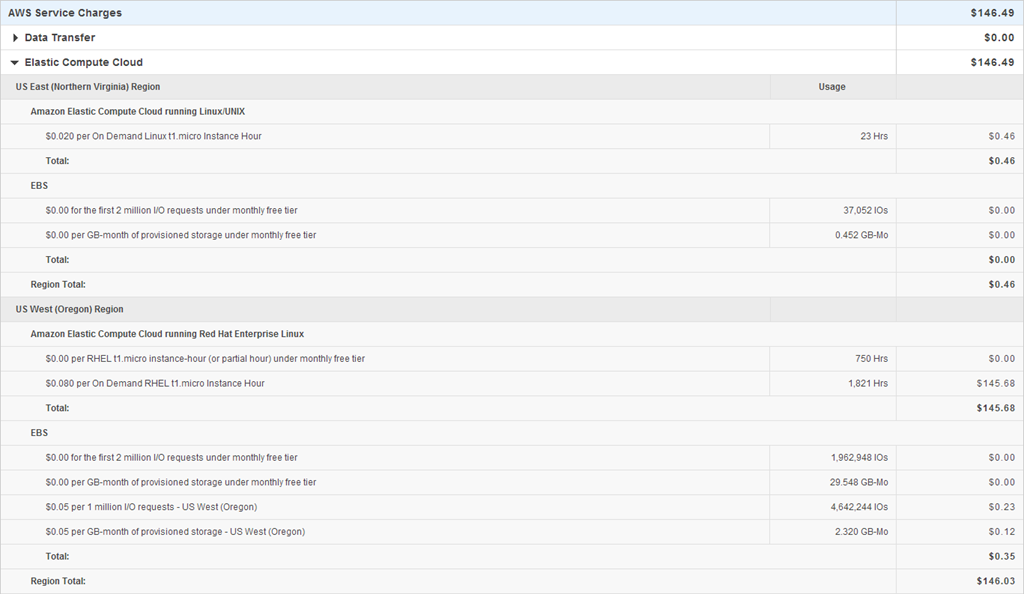
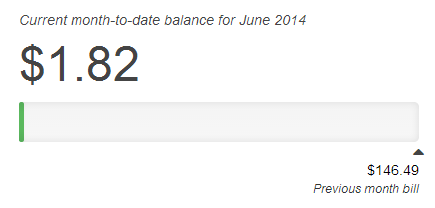
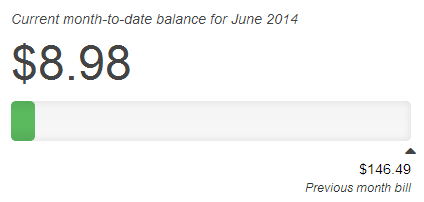
That was pretty easy and pretty cool. So I am going to take a quick look what I have spent in AWS so far to do everything I posted in my ScaleIO – Chapter II and and ScaleIO – Chapter III posts. Going to kickoff some benchmarks and will revisit the cost increase.
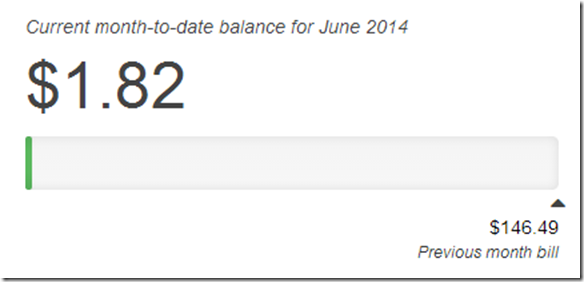
$1.82 ,the moral of the story it it’s to cheap to stay stupid 🙂 The world is changing, get on board!
Any yes the title of this post may be an homage to Lil Jon and the complex simplicity of “Turn Down for What”
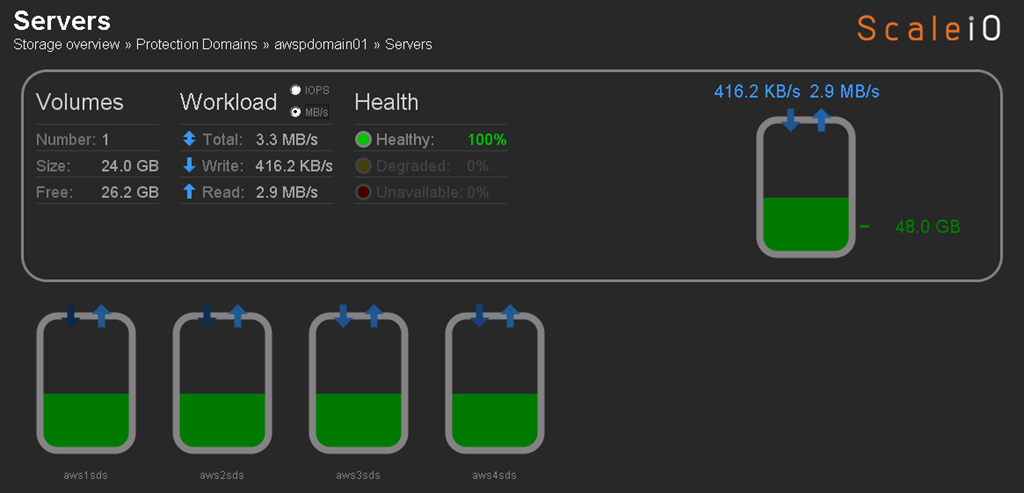
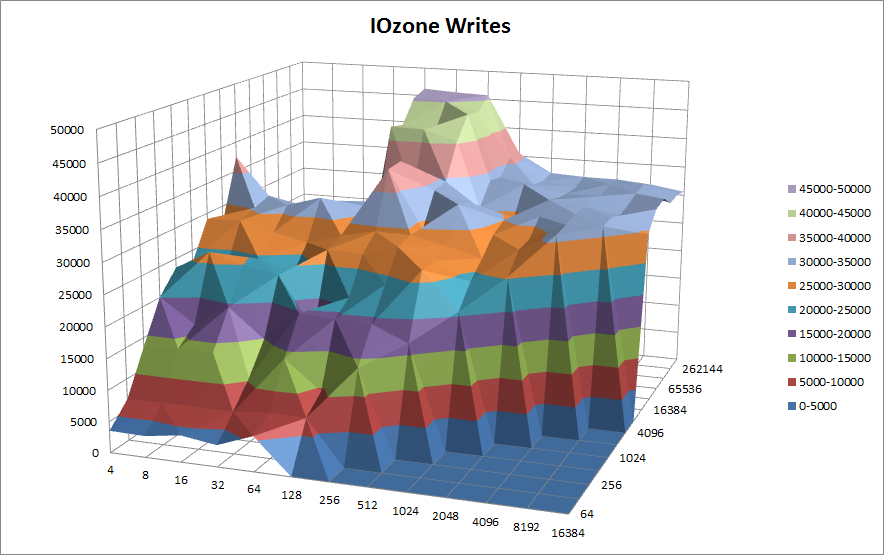
Below you can see the R/W concurrency across the nodes as the benchmark runs.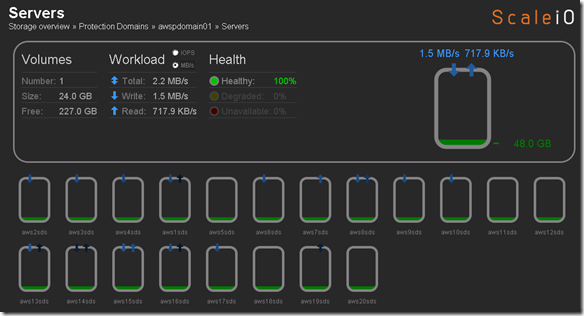
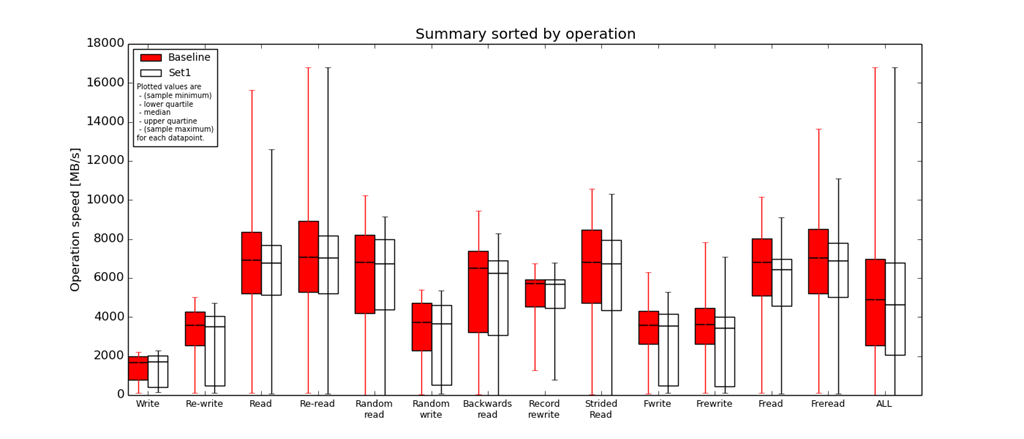
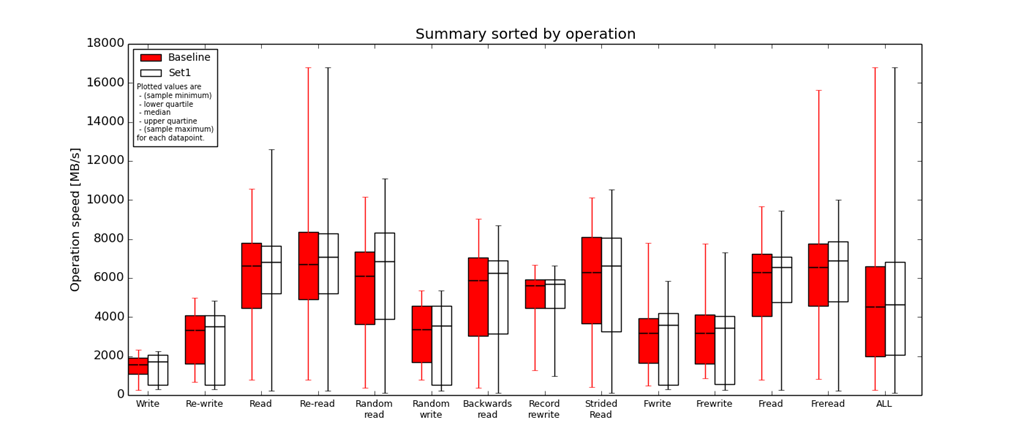
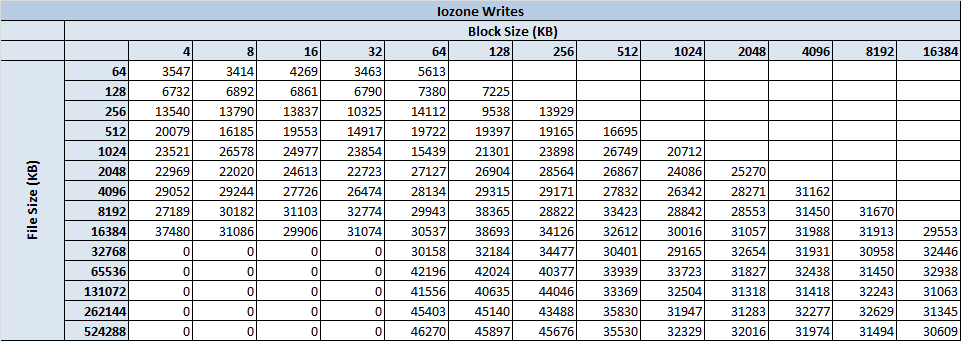
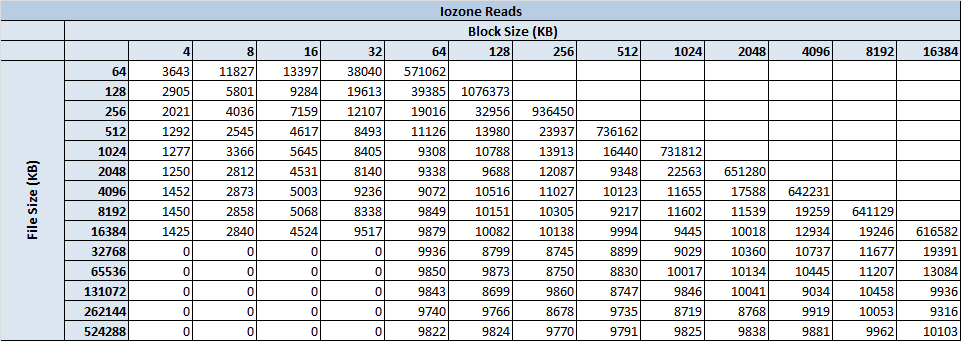
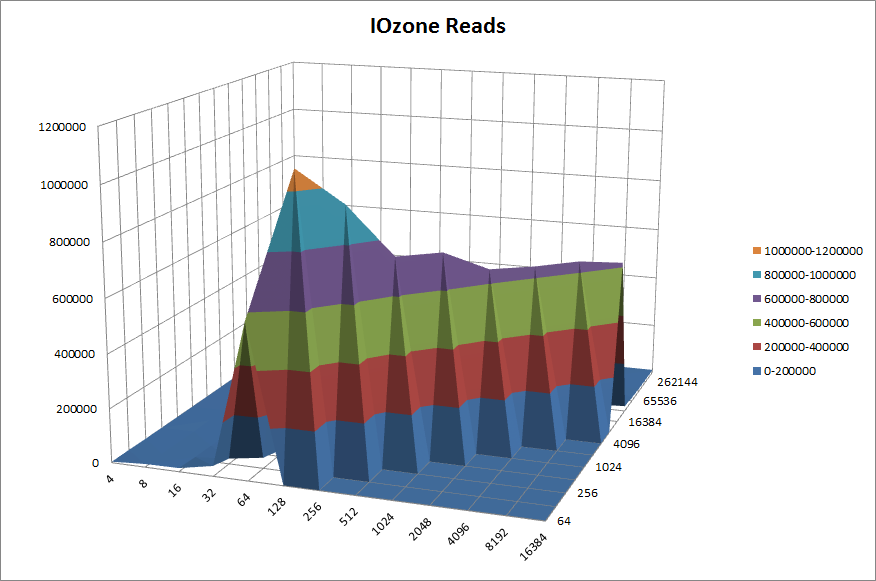
IOzone Preliminary Benchmark Results (20 nodes):
- Baseline = ScaleIO HDD (Local)
- Set1 = ScaleIO HDD (20 SDS nodes in AWS)

Preliminary ScaleIO Local HDD vs ScaleIO AWS (20 node) HDD distributed volume performance testing analysis output: http://nycstorm.com/nycfiles/repository/rbocchinfuso/ScaleIO_Demo/aws_scaleio_20_node_becnchmark/index.html
6/21/2014 AWS Instance Limit Update: 250 Instance Limit Increase Approved. Cool!
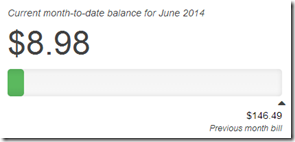
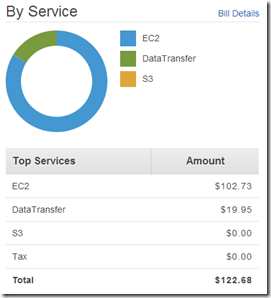
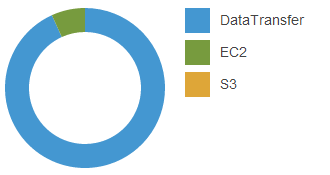
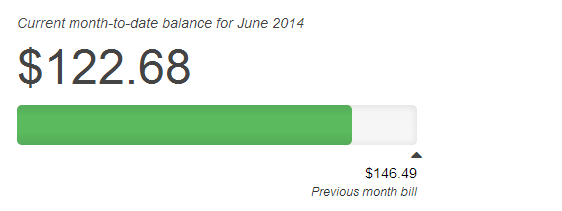
6/22/2014 Update: After running some IOzone benchmarks last night it looks like I used about $7 in bandwidth running the tests.
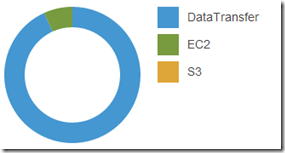
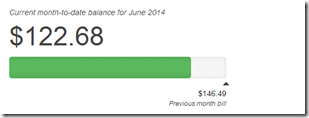
6/25/2014 Update: Burn it down before I build it up.
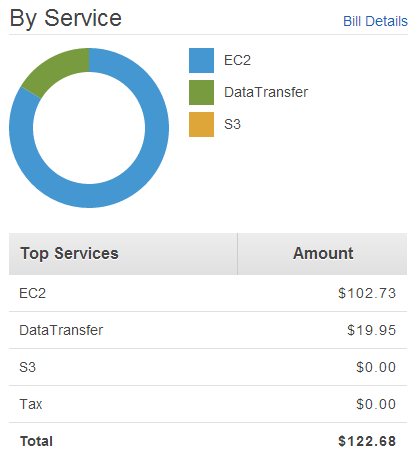
AWS cost over the 4-5 days I had the 20 nodes deployed, so I decided to tear it down before I do the 200 node ScaleIO AWS deployment.
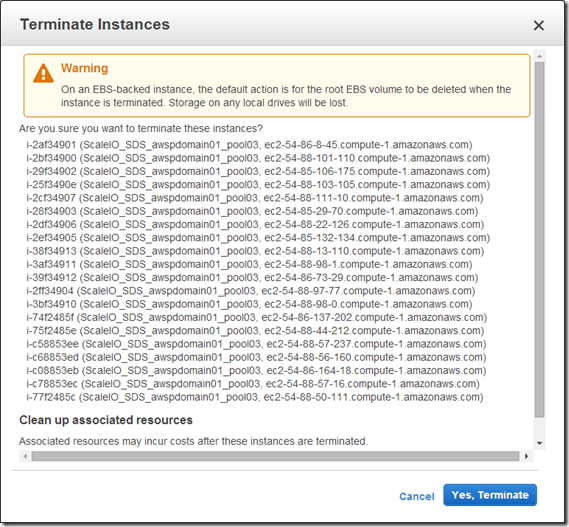
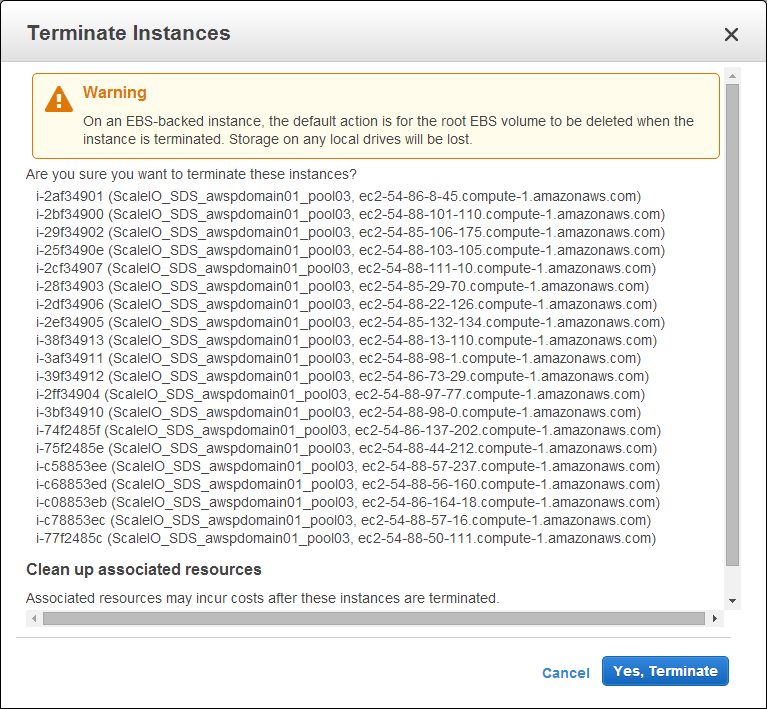
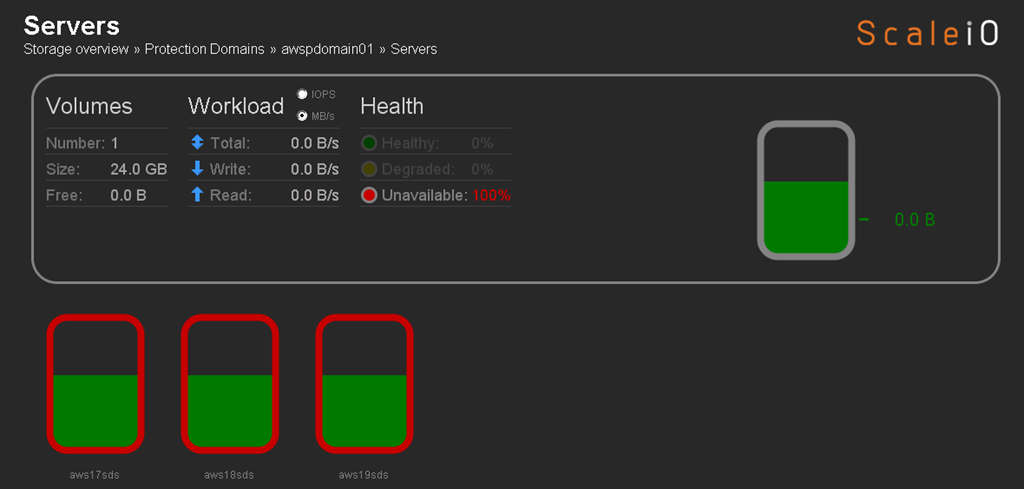
From a cleanup perspective I removed 17 of the 20 SDS nodes, trying to figure out how to remove the last 3 SDS nodes, the Pool and the Protection Domain. Haven’t worked on this much but once I get it done I plan to start work on the 200 node ScaleIO deployment and testing.

![clip_image002[5]](http://gotitsolutions.org//wp-content/uploads/2014/09/clip_image0025.jpg "clip_image002[5]")
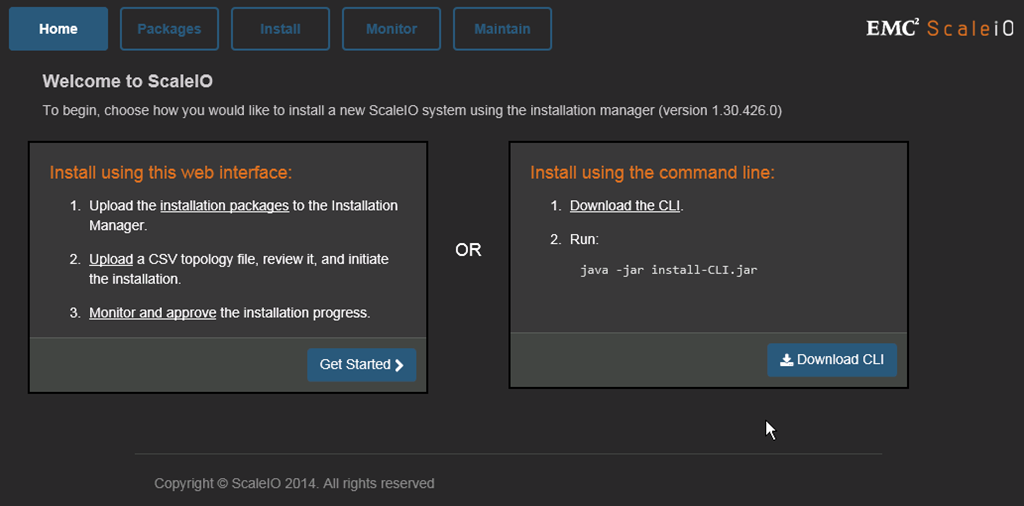
 Of course you can continue to use the CLI














 Sorry but who doesn’t love the “